
Reading Your Auto Insurance Declarations Page Without Getting Lost

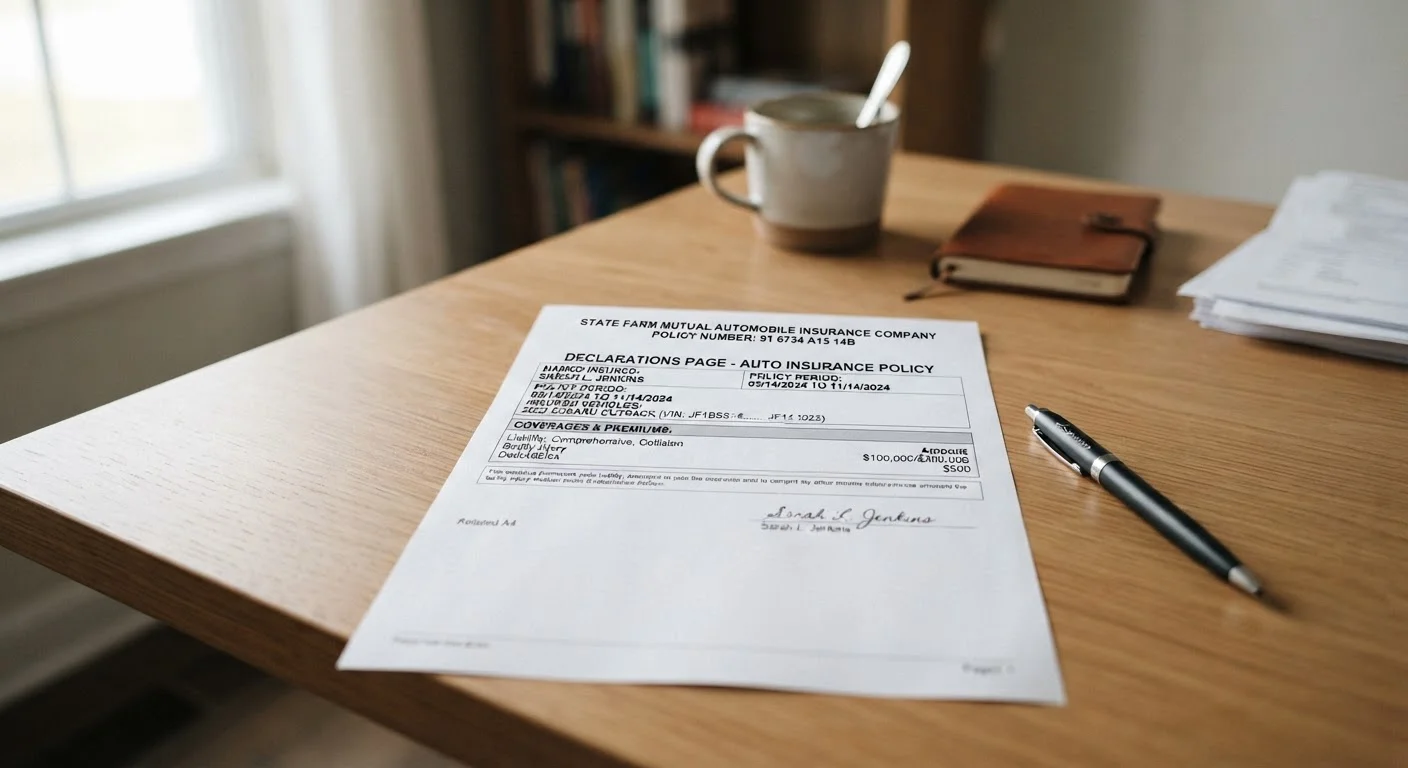
Photo: FaqsBay.com | Trending Blogs, Top Genres editorial
Key Takeaways
- The declarations page summarizes your entire policy on one or two pages - not the full legal contract.
- Verify your name, vehicle details, and coverage dates are accurate every time you receive a new dec page.
- Coverage limits and deductibles are the two numbers that most directly affect what you pay and collect.
- Missing or incorrect information on your dec page can complicate a claim - review it proactively.
- Your dec page is issued at renewal, policy changes, and upon request - keep a copy accessible.
What the Declarations Page Actually Is
The declarations page is a one-to-two-page summary that your insurer produces at the start of every policy term. Think of it as the cover sheet for your entire auto insurance contract - it tells you who is covered, what vehicles are insured, what coverages are in place, and what those coverages cost. It does not contain the full legal terms of your policy; those live in the policy document itself.
Most drivers receive a new dec page when they first purchase a policy, at each renewal, and any time they make a mid-term change (adding a vehicle, updating an address, or adjusting coverage levels). Because it's compact and written in plain-ish language compared to the full policy, the dec page is your most practical daily reference.
The Dec Page Is Not Your Full Policy
What you will need
How to Read It: A Step-by-Step Walkthrough
Reading a dec page isn't complicated, but the layout varies by insurer. The following steps walk through the standard sections in the order they typically appear. Have your dec page open as you work through each one.
Declarations Page (Dec Page)
The primary document you'll be reading and verifying throughout this process.
Full Policy Document
Referenced when a term on the dec page needs a deeper definition or legal context.
Auto Insurance Glossary
Helps decode unfamiliar terms encountered while reviewing the dec page.
Locate and open your declarations page
Your insurer sends a declarations page - often called a dec page - whenever your policy is issued, renewed, or changed. Check your email, your insurer's online portal, or your physical mail. It is typically one to two pages long and clearly labeled "Policy Declarations" or "Auto Insurance Declarations."
Confirm your personal and vehicle information
The top section of the dec page lists the named insured (that's you, and anyone else specifically named on the policy), the mailing address, and the policy number. Below that, you'll find the covered vehicle's year, make, model, and VIN. Verify every field against your vehicle registration and your own records.
- Is your legal name spelled correctly?
- Is the VIN an exact match to the sticker inside your driver-side door frame?
- Is your current address listed, not a previous one?
Check your policy period
The policy period specifies the exact dates your coverage is active - usually a six-month or twelve-month term, shown with start and end dates and times (often 12:01 a.m.). Confirm the period matches what you agreed to when you purchased or renewed the policy. Coverage gaps - even a single day - can leave you unprotected.
Review your listed drivers
Most dec pages include a section listing all drivers covered under the policy. Confirm that everyone who regularly drives the insured vehicle is included. Drivers who are omitted - particularly household members - may not be covered, or coverage may be disputed after an incident.
If a driver should be excluded intentionally (for example, a household member with a poor driving record whom you formally excluded to manage costs), confirm that exclusion is documented correctly.
Understand your coverage types and limits
This is the core of the dec page. You'll see a table or list of coverage types, each paired with a limit - the maximum amount your insurer will pay for a covered loss. Common coverages include:
- Bodily injury liability - pays for injuries to others when you're at fault (expressed as two numbers, e.g., $50,000/$100,000)
- Property damage liability - covers damage you cause to others' property
- Collision - covers damage to your own vehicle from a crash
- Comprehensive - covers non-collision damage (theft, weather, animals)
- Uninsured/underinsured motorist - protects you when the other driver lacks sufficient coverage
- Medical payments / PIP - covers medical costs regardless of fault
For a deeper explanation of how these work together, see our guide on liability, collision, and comprehensive coverage. If collision and comprehensive sound similar to you, this breakdown of the difference is worth reviewing.
Note your deductibles
A deductible is the amount you pay out of pocket before your insurer covers the rest of a claim. Deductibles typically apply to collision and comprehensive coverage. Your dec page will list the deductible amount for each applicable coverage. A higher deductible generally means a lower premium - but it also means more out-of-pocket cost after a loss.
Make sure the deductible amounts shown are what you actually agreed to, and that you could comfortably cover that amount if a claim occurred tomorrow.
Review any discounts, endorsements, or exclusions
The lower portion of the dec page often lists discounts applied to your premium (such as multi-car or good-driver discounts) and any endorsements - add-ons that modify your standard coverage (such as rental reimbursement or roadside assistance). It may also reference any formal exclusions by name.
Verify that discounts you were promised appear here. If there's a term you don't recognize, the auto insurance glossary is a useful reference. For a structured approach to reviewing all of this at renewal time, see what to check at every policy renewal.
Errors on Your Dec Page Can Hurt Claims
Store a Digital Copy for Easy Access
What to Do If Something Looks Wrong
If any information on your dec page is inaccurate - a misspelled name, wrong vehicle, outdated address, missing driver, or coverage amount you don't recognize - contact your insurer's customer service line or log in to your online account to initiate a correction. Keep a record of when you reported the error and the name of the representative you spoke with.
Coverage and premium disputes can sometimes follow from inaccurate dec pages, so it's worth treating this document seriously rather than filing it away unread. If you're ever in an accident, understanding your coverage in advance makes the steps immediately following an accident significantly less stressful.
This article provides general information about auto insurance documents for educational purposes only. Coverage terms, conditions, and exclusions vary by insurer and by state. For guidance specific to your policy, consult a licensed insurance professional or your insurer directly.
The content provided on our blog site traverses numerous categories, offering readers valuable and practical information. Readers can use the editorial team’s research and data to gain more insights into their topics of interest. However, they are requested not to treat the articles as conclusive. The website team cannot be held responsible for differences in data or inaccuracies found across other platforms. Please also note that the site might also miss out on various schemes and offers available that the readers may find more beneficial than the ones we cover.