
Automating Your Savings Without Overthinking It

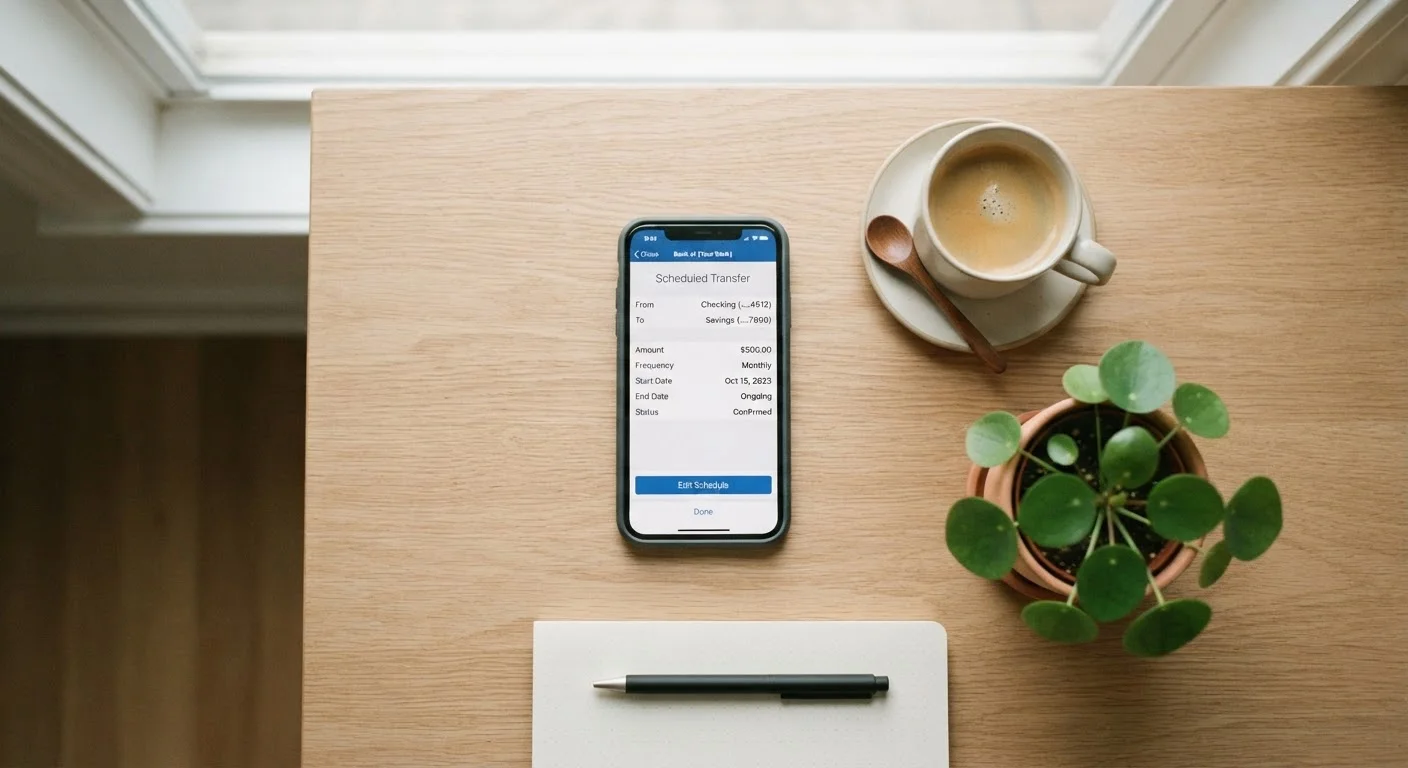
Photo: FaqsBay.com | Trending Blogs, Top Genres editorial
Key Takeaways
- Automated transfers remove the need for willpower by making saving a default action.
- Aligning your transfer date with your payday prevents accidental overspending before saving.
- Starting with a small, fixed amount builds the habit without straining your budget.
- A separate savings account reduces the temptation to dip into earmarked funds.
- Reviewing your automation setup every few months keeps it aligned with income changes.
Why Automation Outperforms Willpower
Saving consistently is less a matter of motivation and more a matter of system design. When a transfer happens automatically, it removes the daily decision — and the daily opportunity to rationalize skipping it. Behavioral research in personal finance consistently points to this friction-reduction effect: money that never appears in a spending account is rarely missed in the same way money that's actively moved away feels like a sacrifice.
The Budgeting Basics framework treats automation as a structural tool rather than a motivational shortcut. It works even for people who struggle with budgeting, because it makes the "right" behavior the default one.
Small Amounts Add Up Faster Than You Think
The setup itself takes 15–30 minutes. The ongoing effort is close to zero.
What You'll Need Before You Start
Getting automation right requires a few things in place before you touch any bank settings. Rushing past this stage is the most common reason people set up transfers that bounce or create overdrafts within the first month.
What you will need
Online banking portal or mobile app
Used to set up and manage automatic transfer schedules between accounts.
Separate savings account
Keeps saved money physically separated from spending funds, reducing temptation.
Basic budget or spending estimate
Helps you determine how much you can realistically automate without triggering overdrafts.
Once you have these elements ready, the actual setup process is straightforward. Work through the steps below in order — skipping ahead can create timing mismatches between your income and your transfers.
Step-by-Step Setup
Follow these steps to get a reliable, recurring savings transfer in place. Each step builds on the last, so work through them in sequence.
Determine a realistic transfer amount
Before touching any settings, figure out a dollar amount you can move to savings without disrupting everyday expenses. Review your last two or three months of bank statements and identify what's left after rent, utilities, groceries, and minimum debt payments. Even $25–$50 per paycheck is a meaningful start — the habit matters more than the size at this stage.
If you've never tracked spending before, see Building Your First Savings Habit From Zero for a foundational approach.
Choose or open a dedicated savings account
If your savings sit in the same account as your spending money, the separation is psychological only — and psychology is unreliable. Open or designate a savings account that you don't use for daily transactions. Many people prefer a high-yield savings account at a separate institution specifically because the slight friction of transferring money back discourages impulsive withdrawals.
This is general information: account features vary by institution, and you should review terms and any applicable fees before opening an account.
Log in and locate the automatic transfer feature
Sign into your bank's online portal or mobile app. Look for labels such as Transfers, Scheduled Transfers, or Automatic Payments. Most major financial institutions offer recurring transfer options directly within the account dashboard. If you can't find it, your bank's help center or customer service line can guide you to the correct menu.
Set the transfer date to match your payday
Schedule the automatic transfer for one to two business days after your paycheck typically lands. This is the core of the "pay yourself first" principle: savings leave before you have a chance to spend them on non-essentials. If your income is irregular, consider scheduling the transfer mid-month after you've confirmed receipt of payment rather than on a fixed date.
For a deeper look at the philosophy behind this approach, see Pay Yourself First vs. Spend and Save the Rest.
Confirm and activate the recurring transfer
Review the details: source account, destination account, amount, and frequency (weekly, bi-weekly, or monthly). Confirm everything looks correct, then activate the transfer. Most banks send a confirmation email or in-app notification. Save that confirmation for your records.
Review and adjust every few months
Automation works best when it stays current with your life. If your income rises, increase the transfer amount. If you face an unexpected expense, temporarily pause the transfer rather than letting it overdraft your account. Reviewing every three to six months keeps the system working for you rather than against you.
For broader strategies that scale with your income, see Savings Strategies Worth Knowing at Every Income Level.
Watch for Overdraft Risk at Setup
For a broader view of the trade-offs involved in automating your finances beyond just savings, see The Pros and Cons of Automating Your Personal Finances. And if you're thinking longer-term about where this fits into your overall goals, the Financial Planning hub covers the bigger picture.
Automation Is a Tool, Not a Complete Plan
This article is for general informational and educational purposes only and does not constitute personalized financial advice. Please consult a qualified financial professional regarding decisions specific to your situation.
The content provided on our blog site traverses numerous categories, offering readers valuable and practical information. Readers can use the editorial team’s research and data to gain more insights into their topics of interest. However, they are requested not to treat the articles as conclusive. The website team cannot be held responsible for differences in data or inaccuracies found across other platforms. Please also note that the site might also miss out on various schemes and offers available that the readers may find more beneficial than the ones we cover.